Version 0.5.0 · Other apps, on your terms

Files, contacts and passes
on a pod you own

Solid Share turns your Solid pod into a personal data wallet on Android. The app has no server of its own. It talks to your pod directly, so nothing you store passes through us.

Android 8.0 and later · The F-Droid build links no proprietary dependency · APK on GitHub

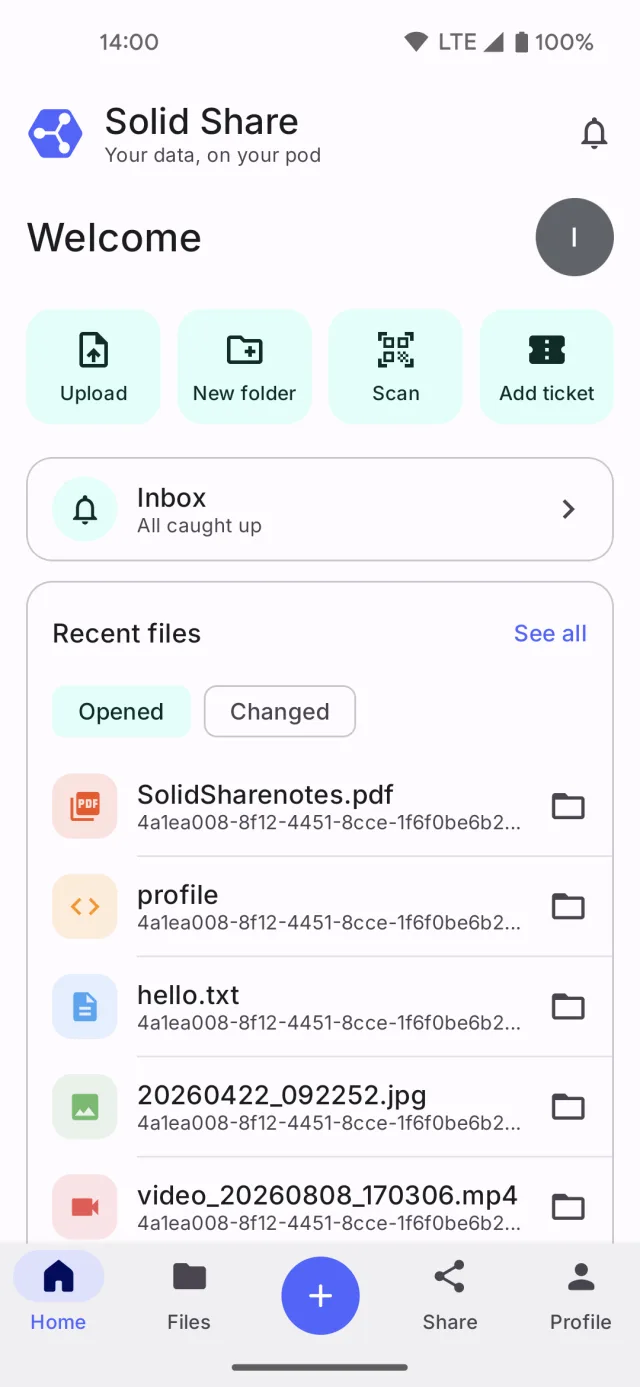
The Solid Share home screen, with quick actions, the inbox row and recent files
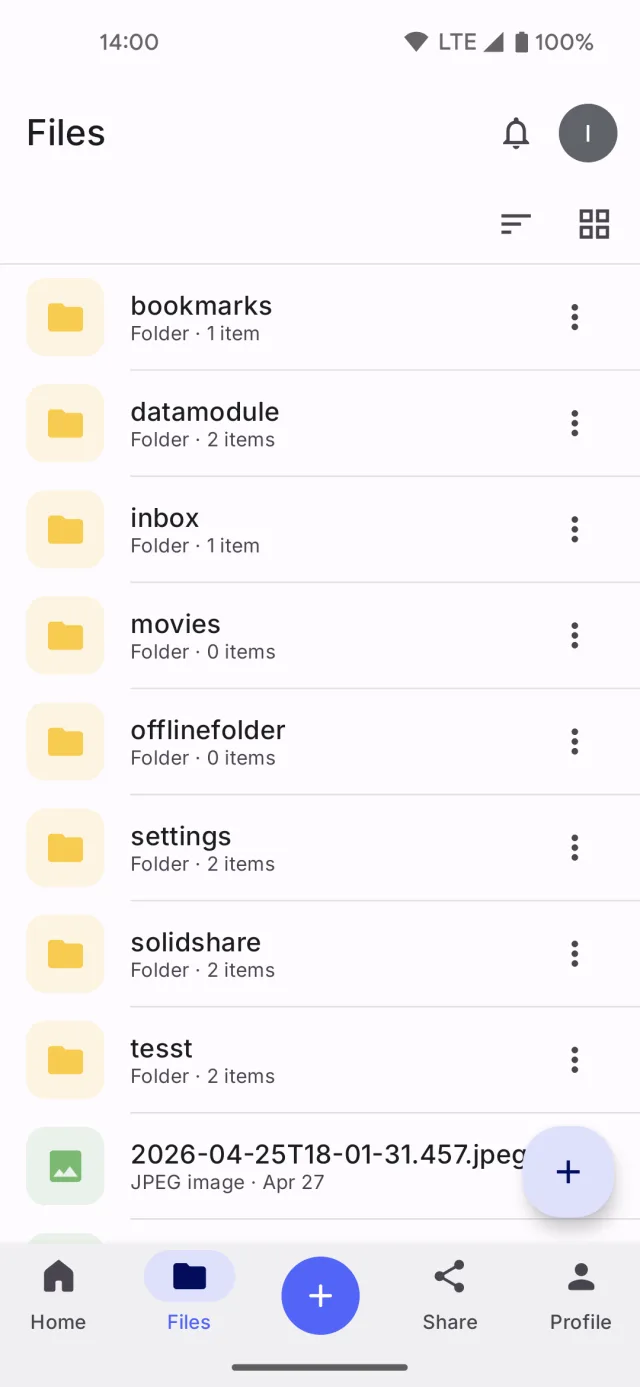
The Solid Share file browser, listing folders and files on a Solid pod
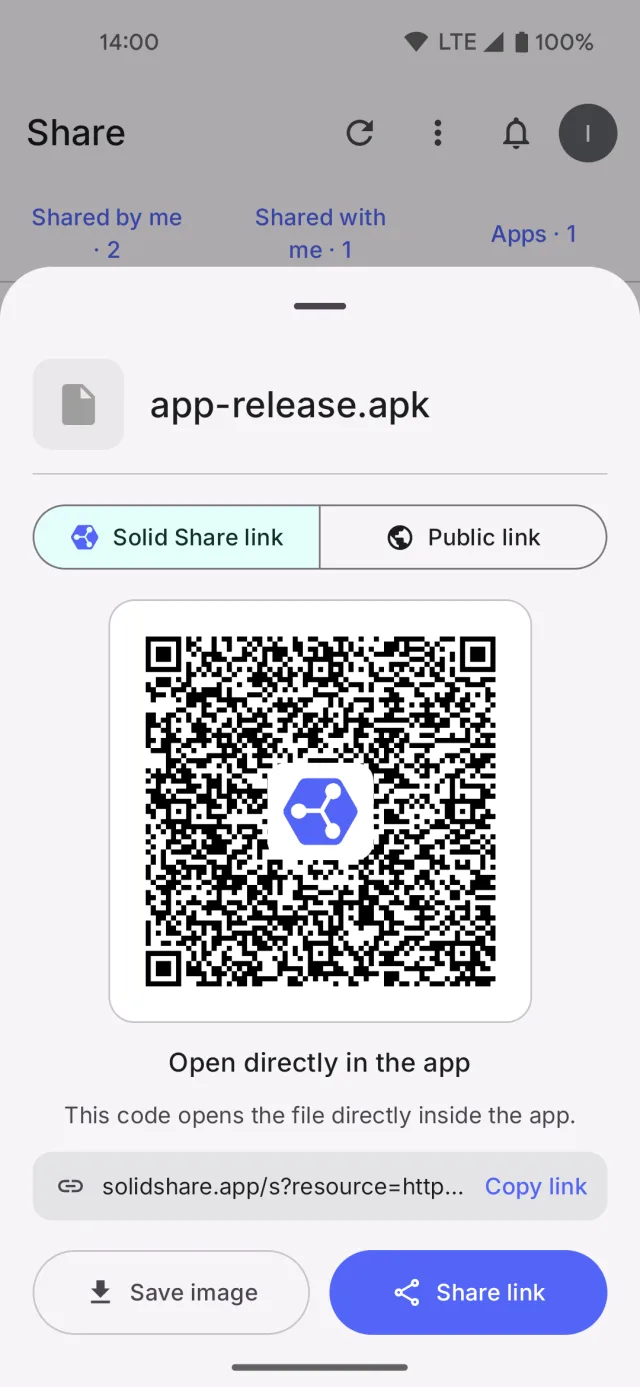
A share screen with a QR code that opens the shared file in the app
No servers of our own
No accounts to create
No ads and no tracking
Open source, MIT licence

What's new

Version 0.5.0

Solid Share is now the host app for Solid on Android: another app asks it, instead of asking you for a password. The app also speaks four more languages, opens your files without handing them to another app, and answers on Home with what changed while you were away.

Read the release notes
  • Apps, on your terms Other apps reach your pod through Solid Share. You scope what each one may do, and a new Apps tab takes it back.
  • Five languages German, Spanish, French and Italian join English. The app follows your phone, or the language you pick.
  • A new Home Your inbox, the files you opened or that changed, what you shared, and your next pass, on one screen.
  • Files that open in place Images, PDFs and text open inside the app, and any app can share a file straight into your pod.
  • Inrupt pods fixed Share notifications and access requests now arrive on an Inrupt account.
How it works

Three steps, and your pod stays yours

Solid is an open web standard for personal data stores, called pods. You pick the provider, or you run your own server.

  1. 1

    Pick a pod

    Use Inrupt, Solid Community, Data Pod, or any custom OIDC issuer URL. You can log into several pods at once and switch between them.

  2. 2

    Sign in with Solid-OIDC

    The app authenticates directly with the provider you picked. From then on it reads and writes resources on your pod, from your phone.

  3. 3

    Share on your terms

    Grant a specific WebID, or anyone with the link, View, Add or Edit access. Widen, narrow or revoke the share at any time.

Features

One app for the things you keep

Files

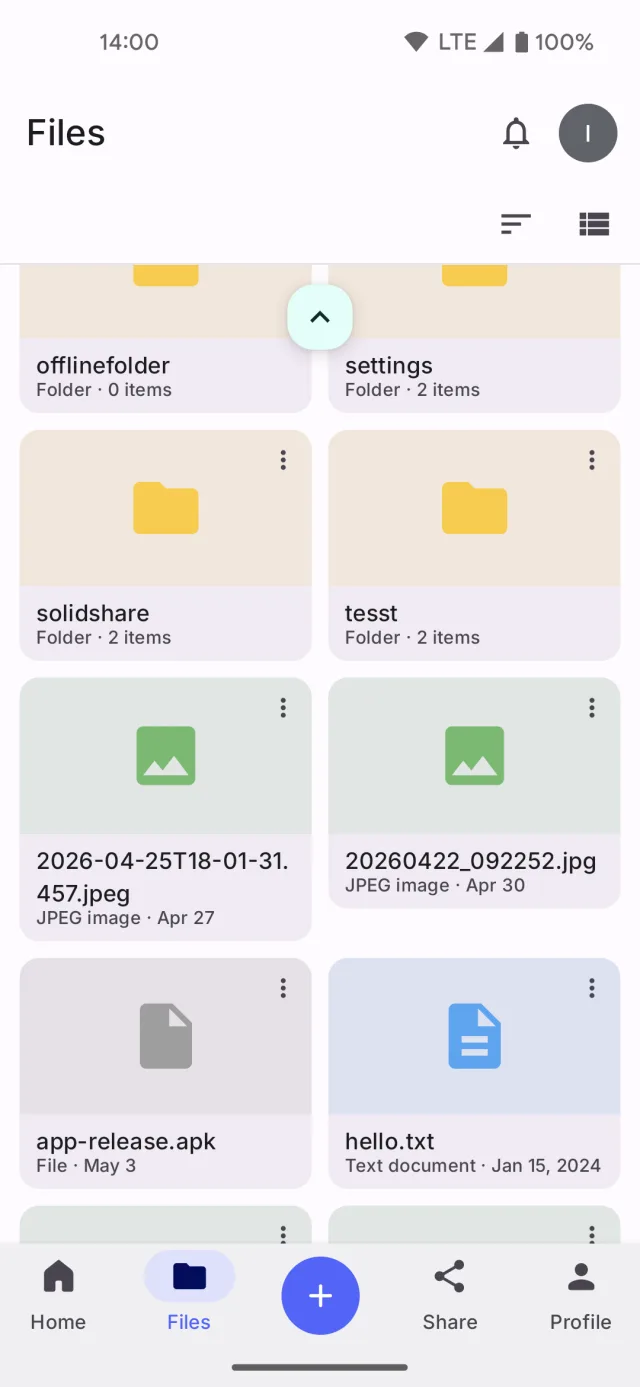
Browse containers and resources in list or grid, sorted by name, type or date.

  • Upload from device storage, or capture a photo or video and upload it straight away
  • Images, PDFs and text open inside the app; anything else with the app of your choice
  • Share any file from any app straight into your pod, one or several at a time
  • Duplicate a file or folder as a private copy, reset to owner-only access
  • Pin a file to keep its content available offline
The Solid Share file browser in grid view, with folders and files side by side

Sharing

Every share produces a QR code and a link that opens straight back into the app.

  • Grant access to a specific Solid user by WebID, or to anyone with the link
  • View, Add and Edit access levels, instead of raw Read, Append and Write
  • Two pod-backed lists: what you have shared, and what has been shared with you
  • Ask an owner for access when a resource denies you, and answer requests yourself
  • Works across Solid servers, with Web Access Control and an ACP fallback
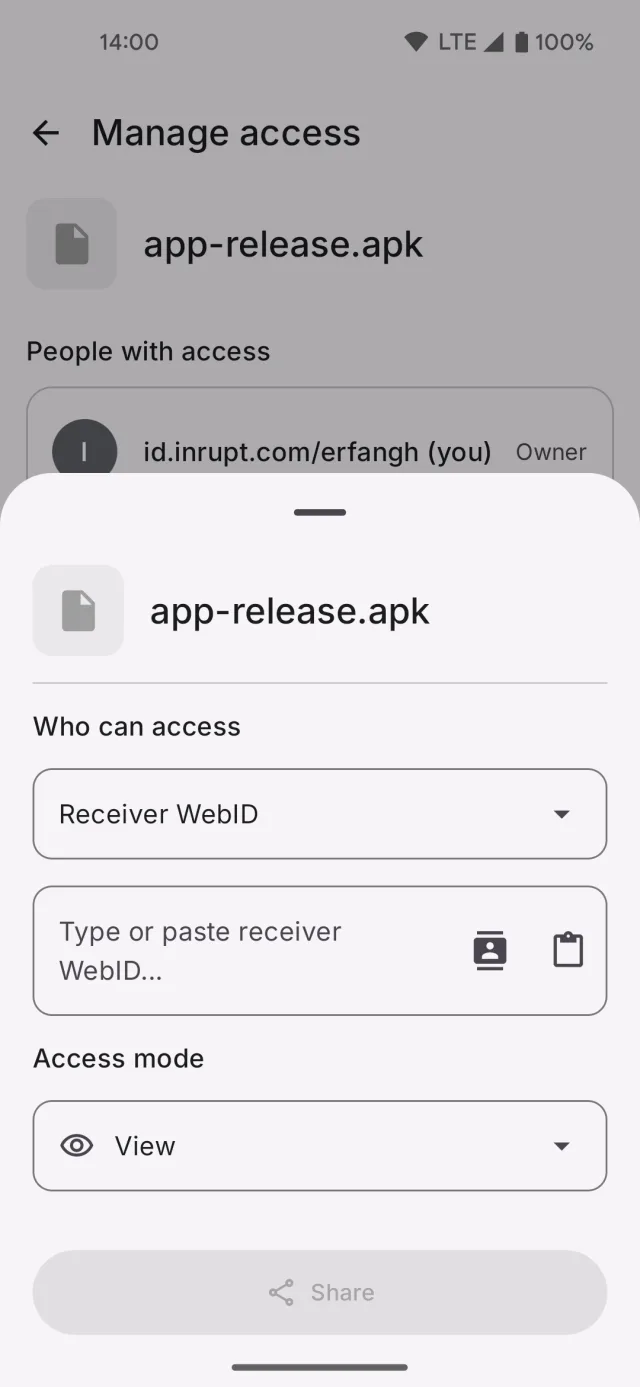
A share sheet that picks the receiver WebID and the access mode

App access

Other Solid apps reach your pod through Solid Share, so no other app ever holds your password.

  • An app asks for View, Add, Edit or Full access, and you see who asks, for which account, and where
  • Narrow it to the folders you pick, or to one data module such as Contacts, before you allow it
  • An Apps tab lists every app that has access, what it may do and where, and when you granted it
  • Uninstalling an app removes its access, and signing an account out drops that account's grants
  • What you allowed stays on this device, and is never written to your pod
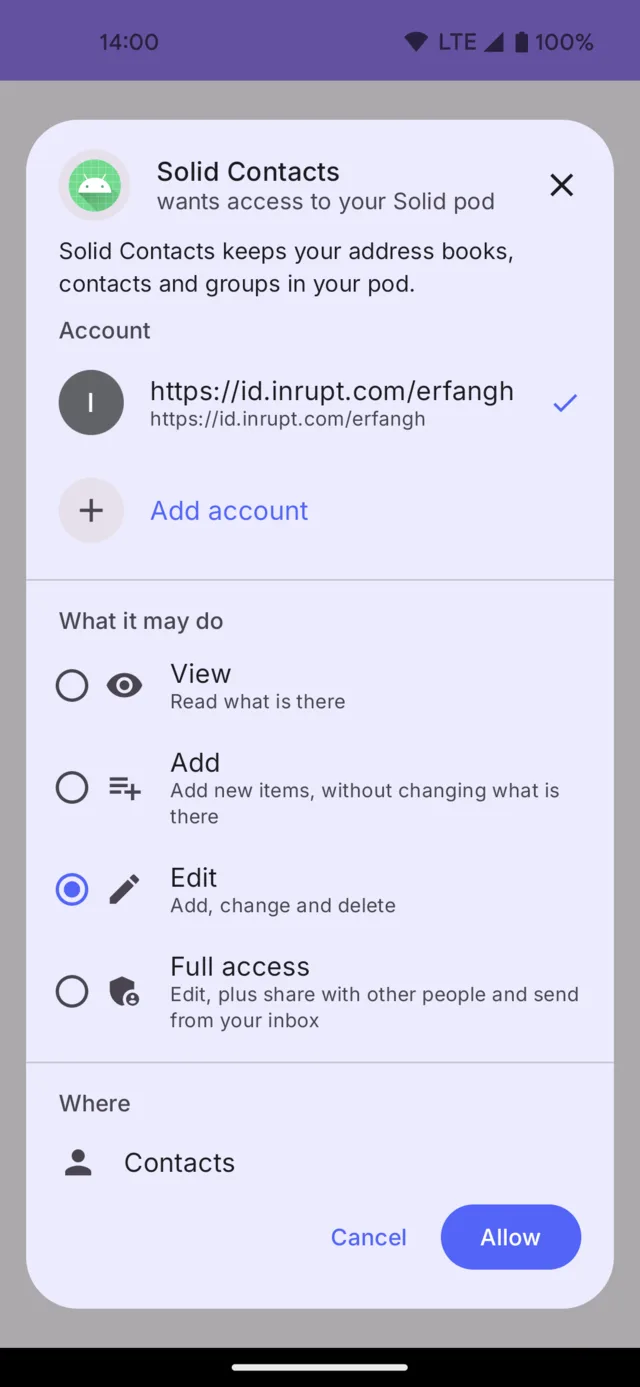
An app asking for access to a Solid pod, showing the account, the access level and the folder it may reach

Wallet

Event tickets, boarding passes, cinema tickets, loyalty cards and coupons, stored as ordinary Solid resources you own.

  • Apple Wallet .pkpass import, read in full, with the original file kept on your pod
  • Barcodes re-rendered in the symbology the issuer used, so gate scanners read the identical code
  • A screen-brightness boost when you open a pass
  • An open ticket-QR format, so any issuer can offer one-tap add-to-pod
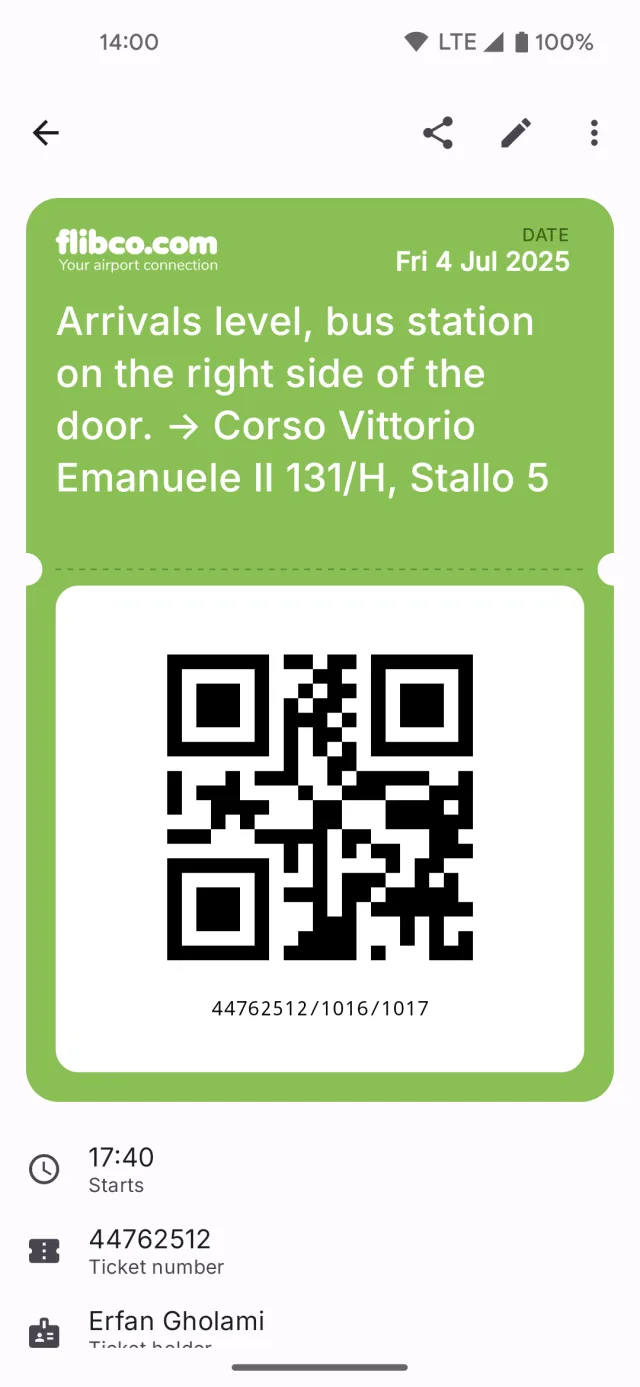
A bus ticket held in the Solid Share wallet, showing its barcode

Contacts

Your address book on your pod, in the standard vCard vocabulary, round-tripped in full.

  • Two-way sync with the phone's Contacts app, one Android account per pod
  • Import from the phone's own accounts, or from a .vcf file
  • Export everything back out at any time
  • Near-duplicates are suggested for review, and merged only when you say so
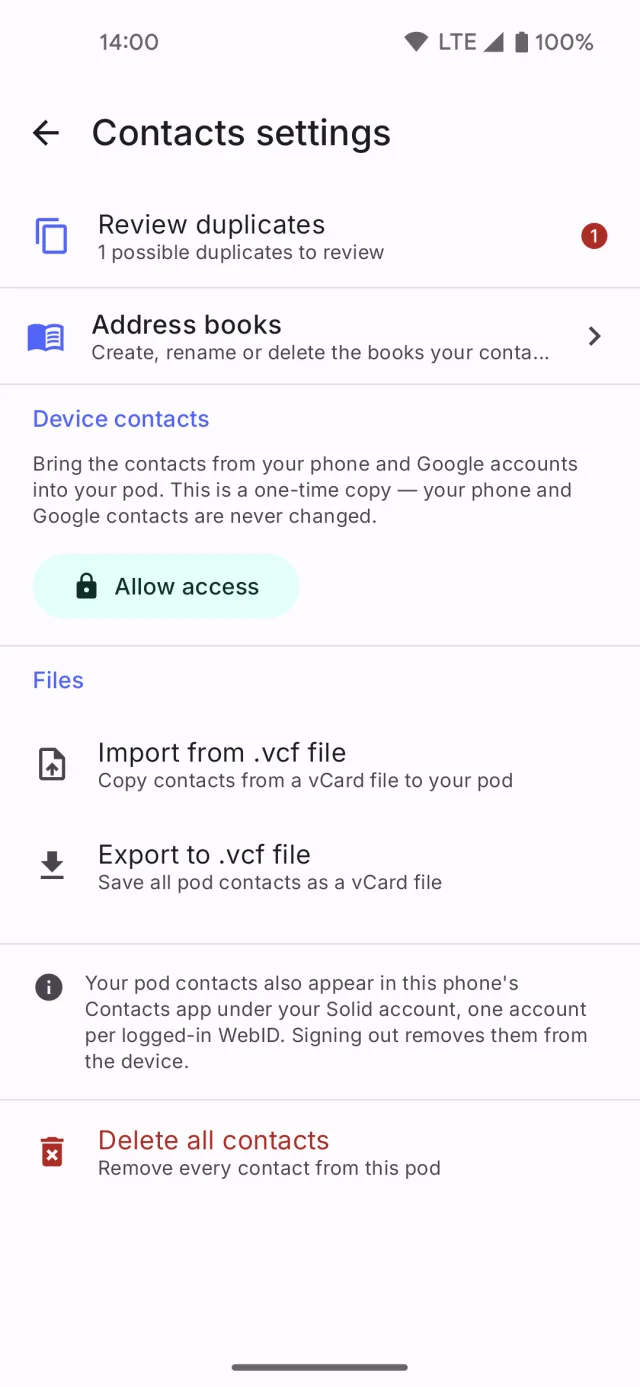
Contact sync settings in Solid Share

What changed while you were away

Home opens on the things waiting for you: unread notifications and access requests, the files you opened or that changed, what you shared, and your next pass. It reads what is already on the device, so it opens at once and works offline.

Offline first

Everything you have seen is on the device, in an encrypted database, and opens with no connection. Every write queues and drains by itself when the connection comes back.

Several pods at once

Log into more than one pod and switch between them. An expired session is a state, not a logout — reconnect in one tap and keep your data in place.

Notifications

The recipient is told when their access changes. Access requests arrive as notifications you can accept or decline.

In your language

English, German, Spanish, French and Italian. The app follows your phone language, and you can pick a different one for Solid Share alone.

Open standards

Solid Protocol, Solid-OIDC, Web Access Control with an ACP fallback, and vCard. Your data stays readable by any other Solid client.

Build on it

Write a Solid app for Android and let Solid Share hold the accounts and the tokens. The Android Solid Services SDK gives your app the pod, the consent screen and the access checks.

Read the SDK docs

Privacy

Two builds. You choose what runs.

Solid Share has no database of its own. Your files, contacts, tickets and shares live on the pod you chose, under your own identity. Other apps that ask through Solid Share receive the results of a pod call, never a credential they could reuse, and what you allowed each one stays on this device — it is never written to your pod.

F-Droid and GitHub build

No analytics code at all

  • Links no proprietary dependency
  • No crash reporting, no usage events
  • Built from the public source tree
Open on F-Droid

Google Play build

Adds crash reporting

  • Sends crash reports and basic usage events to Google (Firebase)
  • No advertising ID, no cross-app tracking, no profiling
  • Everything else is identical
Read the privacy policy

FAQ

Questions, answered

Do I need a Solid pod before I install the app?

Yes — your data lives on a pod. The login screen lists public providers such as Inrupt, Solid Community and Data Pod, and accepts any custom OIDC issuer URL, including a server you run yourself. A pod at a public provider is created in a few minutes. Learn about Solid pods.

How much does it cost?

Nothing. The app is free software under the MIT licence, with no ads and no paid tiers. Pod storage comes from the provider you pick — several offer free space, and a self-hosted server costs only the hardware it runs on.

Which Android versions does it run on?

Android 8.0 and later. The app is on Google Play and on F-Droid, and the APK is on GitHub.

What is different between the F-Droid and Google Play builds?

The features are identical. The F-Droid and GitHub build contains no analytics code at all. The Google Play build adds Firebase crash reporting. The privacy policy describes both in full.

Can other apps on my phone use my pod?

Yes, and only as far as you let them. A Solid app built on the Android Solid Services SDK asks Solid Share instead of asking you for a password, so your credentials never leave this app. The first time one asks, Solid Share shows you which account it wants, what it wants to do and where. Nothing reaches your pod until you allow it, the Apps tab lists everything you have allowed, and removing an app takes effect on its next call. If you write Solid apps yourself, the Android Solid Services SDK is how your app asks.

Which languages does the app speak?

English, German, Spanish, French and Italian, on every screen. The app starts in your phone's language when it is one of the five, and in English otherwise. A Language row on your Profile changes it at any time, for Solid Share alone.

Does it work offline?

Yes. Everything you have seen is kept on the device in an encrypted database and opens with no connection. Writes queue and sync by themselves when the connection returns, and you can pin a file to keep its content available offline.

Where do I report a bug or ask for a feature?

Open an issue on GitHub, or reach me through my contact page.

Put your data back where it belongs

Free, open source, and ready for your pod.

QR code that opens the Solid Share page on F-Droid

On a computer?
Scan the code to open the F-Droid page on your phone.

Or grab the APK from GitHub releases.

Supporters

Funded by NLnet, through NGI Mobifree

Solid Share is funded by NLnet through the NGI Mobifree Fund, established with financial support from the European Commission's Next Generation Internet programme. The grant pays for the development. The app stays free software under the MIT licence.

The project page on nlnet.nl